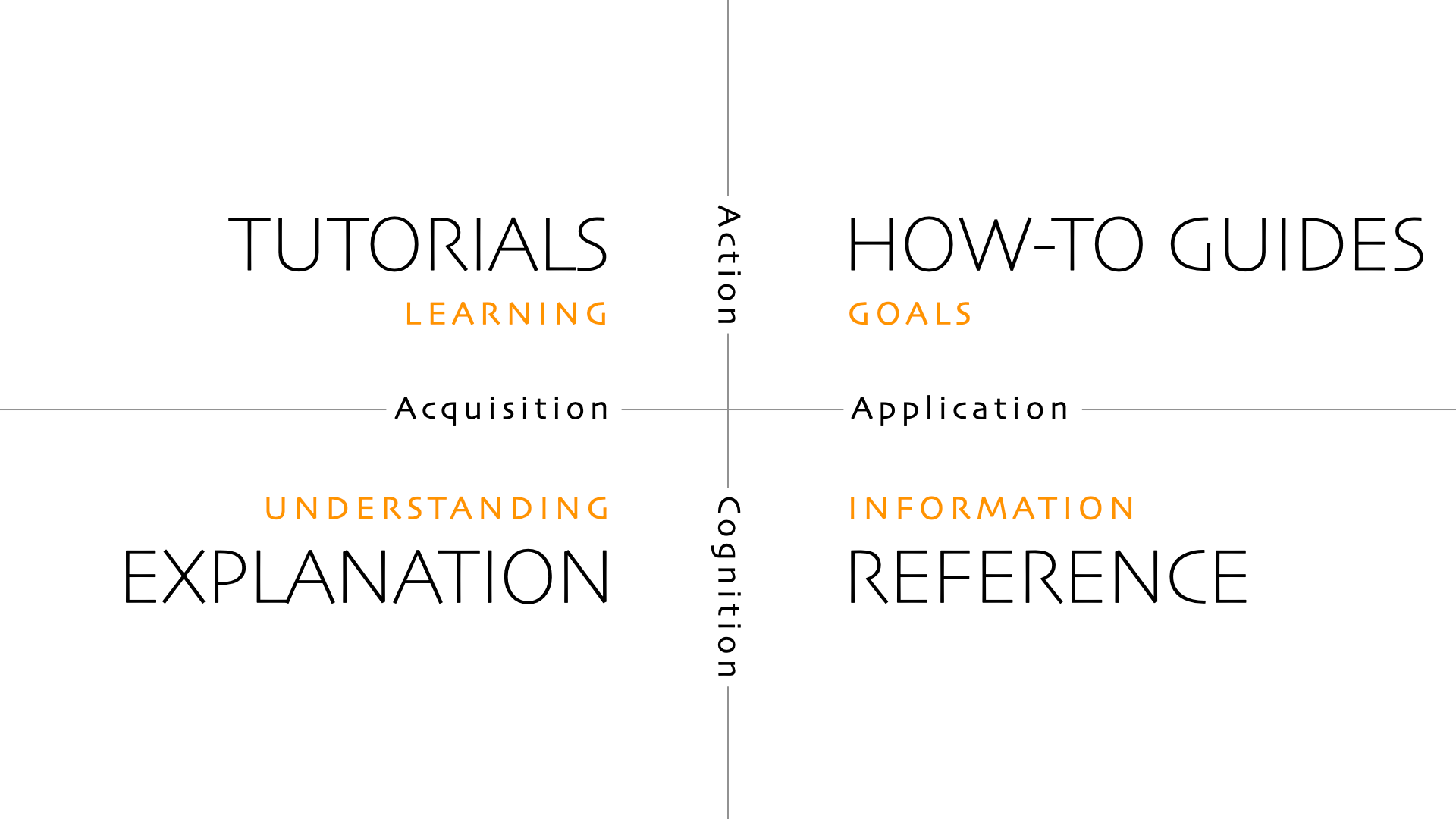
Diataxis is a simple but extensive documentation framework that I always had in the back of my mind when I worked in open-source docs. Here I go through diataxis.fr and highlight the key points that jump out at me. Most of it is quoting or paraphrasing, even if I’m not using quotes.
Tutorials
- Practical lessons for the sake of a learning experience that builds the learner’s confidence
- The learner will learn through what they do
- The instructor must somehow find a way to be present through written structure alone
- Don’t try to teach; give the learner things to do that allow the learning to take place. There’s a distinction between what is to be learned and what is to be done.
Key principles
- Show the learner where they’ll be going. Describe what we’ll do, not what they’ll learn.
- Maintain a narrative of the expected. Tell them what they can expect when they follow the instructions, flag likely signs of going wrong, prepare them for surprises.
- Point out what the learner should notice. A learner will miss signs in their environment when they’re focused on following instructions. Point out what they should be noticing to learn.
- Target the feeling of doing. “a joined-up purpose, action, thinking, and result”. Worth reading in full
- “As skill develops, it flows in a confident rhythm and becomes a kind of pleasure. It’s the pleasure of walking, for example.”
- “Pay attention to your own feeling of doing in your work. What is it like to perform a particular operation?”
- Encourage and permit repetition. Repetition reaffirms that they can do it, and that it works.
- Ruthlessly minimize explanation… A tutorial is not the place for explanation. Explanation distracts their attention from doing, and blocks the learning process.
- “Explanation is only pertinent at the moment the user wants it. It is not for the documentation author to decide.”
- …And focus on the concrete. Our minds are great at perceiving general patterns from concrete examples
- Ignore options and alternatives. Guide the learner to a successful conclusion. Reduces cognitive work
- Aspire to perfect reliability. The tutorial must always give the result it promises. Do extensive testing and observation to ensure this
The language of tutorials (“we”)
How-to guides
- Practical and addresses a real-world goal or problem (work rather than study)
- Addresses an already-competent user
- A recipe is not a substitute for a cooking lesson
- Showcases a product’s capabilities
- Write meaningful instructions. Don’t tell the user something obvious
- Answer a human need (goal, projects, problems), don’t just describe a tool
- Not necessarily a simple procedural guide. Real-world problems may require forking paths and multiple entry and exit points, and the user must apply their own judgement
Key principles
- Address real-world complexity. Don’t address a goal too narrow to be valuable. “You can’t address every possible case, so you must find ways to remain open to the range of possibilities, in such a way that the user can adapt your guidance to their needs.”
- Omit the unnecessary. Practical usability is more helpful than completeness. A tutorial needs to complete from end to end (e.g. starting and finishing a project from scratch), but a how-to guide can “start and end in some reasonable, meaningful place, and require the reader to join it up to their own work.”
- Provide a set of instructions. If you’re facing this situation, you can take these actions. ”Actions” includes thinking and judgement.
- Describe a logical sequence. If two operations can be performed in either order, but one operation optimizes the user’s working environment or their thinking, put it first.
- Seek flow. Achieve smooth progress.
- Pay attention to naming. Use “How to”
Reference
- Contains technical descriptions, not guides to action
- Addresses an already-competent user
- Neutral; not concerned with what the user is doing
- Reflects the structure of what it’s describing, like a map
- You don’t read reference material (top to bottom) you consult it
Key principles
- Describe and only describe. Keep instruction and explanation for the other document types
- Adopt standard patterns. Reference material is useful when it is consistent
- Respect the structure of the machinery. The structure of the documentation should mirror the structure of the product
- Provide examples
The language of reference guides
Explanation
- Provide context and background
- Helps answer why. It’s helpful to have a why question in mind when writing
- Helps answer can you tell me about…?
- Serves study, not work (directly)
- Understanding oriented
- Permits reflection
- Works well with tutorials: provide the most minimal explanation in a tutorial and link to a dedicated explanation page
- Makes sense to read while away from the product itself (“in the bath”)
Key principles
- Make connections even to things outside the immediate topic
- Provide context. Explain why things are so
- Talk about the subject. Explanation guides cover something; you should be able to give one an implicit or explicit about title. (e.g. About user authentication)
- Admit opinion and perspective. Explanation as discussion. Explanation can and must consider alternatives, counter-examples, or multiple approaches
- Keep explanation closely bounded. Don’t include instruction or technical description; those are for other docs